
- ✓ 30-target multi-zone spatial radar tracking
- ✓ Native local Apple HomeKit over Wi-Fi without proprietary bridge
- ✓ Sophisticated AI interference learning (fans, curtains, pets)
- • Constant 5V/1A USB-C power required (no battery operation)
- • Initial zone mapping must be calibrated in Aqara Home app
The Aqara Presence Sensor FP2 (Model: PS-S02D) is a millimeter-wave (mmWave) radar occupancy sensor capable of simultaneous multi-person spatial tracking, multi-zone positioning, fall detection, and ambient light monitoring. Unlike conventional single-beam radar sensors, the FP2 divides an entire room into up to 30 independent automation zones.
1. Radar Specifications & Hardware Architecture
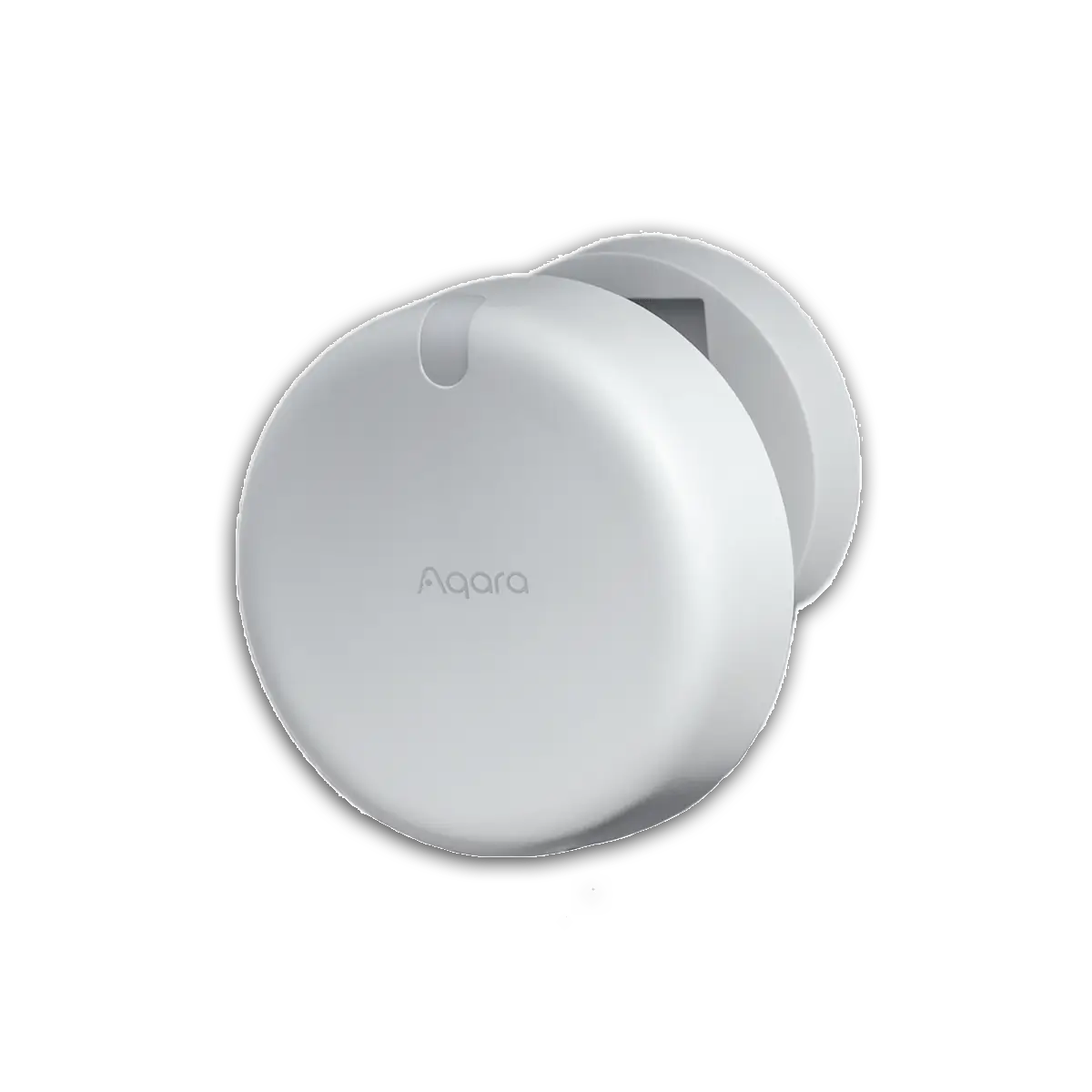
Fig 1. Official Aqara Presence Sensor FP2 (Model PS-S02D) featuring 60 GHz mmWave radar with integrated magnetic base.
The FP2 employs high-frequency radar transceivers coupled with an embedded digital signal processor (DSP) to process continuous point-cloud reflections:
| Component / Feature | Specification | Functional Role |
|---|---|---|
| Radar Technology | 60 GHz FMCW Millimeter-Wave Radar | High-frequency micro-Doppler radar capable of tracking subtle chest movements (breathing) and spatial positioning. |
| Field of View (FoV) | 120° Horizontal × 40° Vertical | Broad conical coverage capable of monitoring rooms up to 40 m² (approx. 430 sq ft) with an 8-meter detection range. |
| Multi-Person Tracking | Simultaneous tracking of up to 5 individual targets | Calculates exact Cartesian coordinates $(X, Y)$ for multiple occupants moving independently within the room. |
| Multi-Zone Grid | Up to 30 custom polygonal/rectangular zones | Each zone exposes an independent binary occupancy sensor to smart home platforms (e.g., Desk, Sofa, Bed). |
| Connectivity | Wi-Fi 802.11 b/g/n (2.4GHz) & Bluetooth 4.2 BLE | Communicates directly over local LAN via Apple HomeKit Local Access and Home Assistant HomeKit Controller. |
| Power & Enclosure | 5V / 1A USB-C continuous power, IPX5 water resistance | Continuous powered operation (no battery depletion); includes magnetic wall mount with metal base plate. |
2. Multi-Zone Spatial Mapping & Configuration
The core innovation of the Aqara FP2 is its spatial mapping interface within the Aqara Home mobile app:
- Zone Definition: Users draw interactive rectangular or custom-shaped zones across the room grid. For example, a living room can be divided into Sofa Area, Dining Table, and Entryway.
- Interference Edges: Static moving objects (curtains moving in breeze, ceiling fans, robotic vacuum cleaners) can be designated as Interference Sources or Edges, suppressing false triggers.
- Exit/Entry Detection: Allows setup of directional triggers that fire only when a target enters through a specific door threshold.
3. Local Ecosystem Integration: Apple HomeKit & Home Assistant
The FP2 exposes rich local integration across platforms:
- Apple HomeKit Local: Connects over local IP using HomeKit accessory protocol. Each defined zone in the Aqara app appears as an independent HomeKit motion sensor, enabling fast, cloudless local automations.
- Home Assistant via HomeKit Controller: When paired via HomeKit Controller integration, each FP2 zone generates an entity (e.g.
binary_sensor.living_room_sofa_presence) along with the ambient illuminance sensor (sensor.fp2_illuminance_lux). Updates push in real-time over local IP with zero cloud dependency.
4. Aqara FP2 vs ThirdReality R3 Comparison
| Feature | Aqara Presence Sensor FP2 | ThirdReality Smart Presence Sensor R3 |
|---|---|---|
| Radar Frequency | 60 GHz FMCW mmWave | 60 GHz FMCW mmWave |
| Multi-Zone Tracking | Yes (Up to 30 independent zones) | No (Whole-room single zone occupancy) |
| Communication Radio | Wi-Fi 2.4GHz (Apple HomeKit local) | Zigbee 3.0 (IEEE 802.15.4) |
| Air Quality Monitoring | No | Yes (Integrated TVOC sensor) |
| Power Requirements | 5V / 1A USB-C | 5V / 1A USB-C |
| Best For | Complex spatial automation (desks, beds, sofas). | Standard room occupancy & Zigbee mesh repeaters. |
5. Placement & Installation Recommendations
Deployment Best Practices
For optimal spatial tracking, mount the FP2 at a height of 1.4 to 1.8 meters on a flat wall facing into the room. Avoid mounting directly facing large vibrating appliances or HVAC return registers. Ensure the USB-C cable has sufficient slack to allow precise angular adjustment using the built-in magnetic pivot base.
0 Comments